

Start here
Client Portal Home
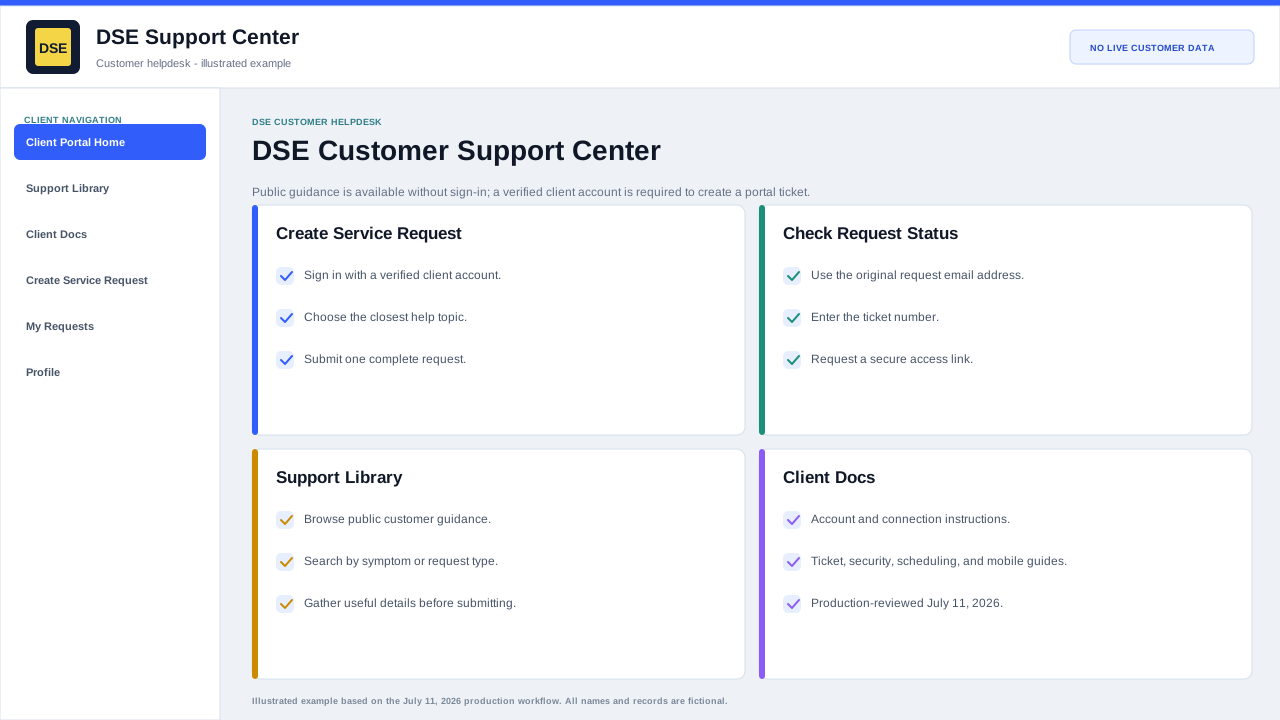
Use the DSE customer helpdesk home page to sign in and start a ticket, check an existing request, open support documentation, or return to the main DSE website.
Production address
https://helpdesk.dsesecurity.com/
Confirm HTTPS and the exact domain before entering account or ticket information.
Visual walkthrough
Open any visual for a full-size reference
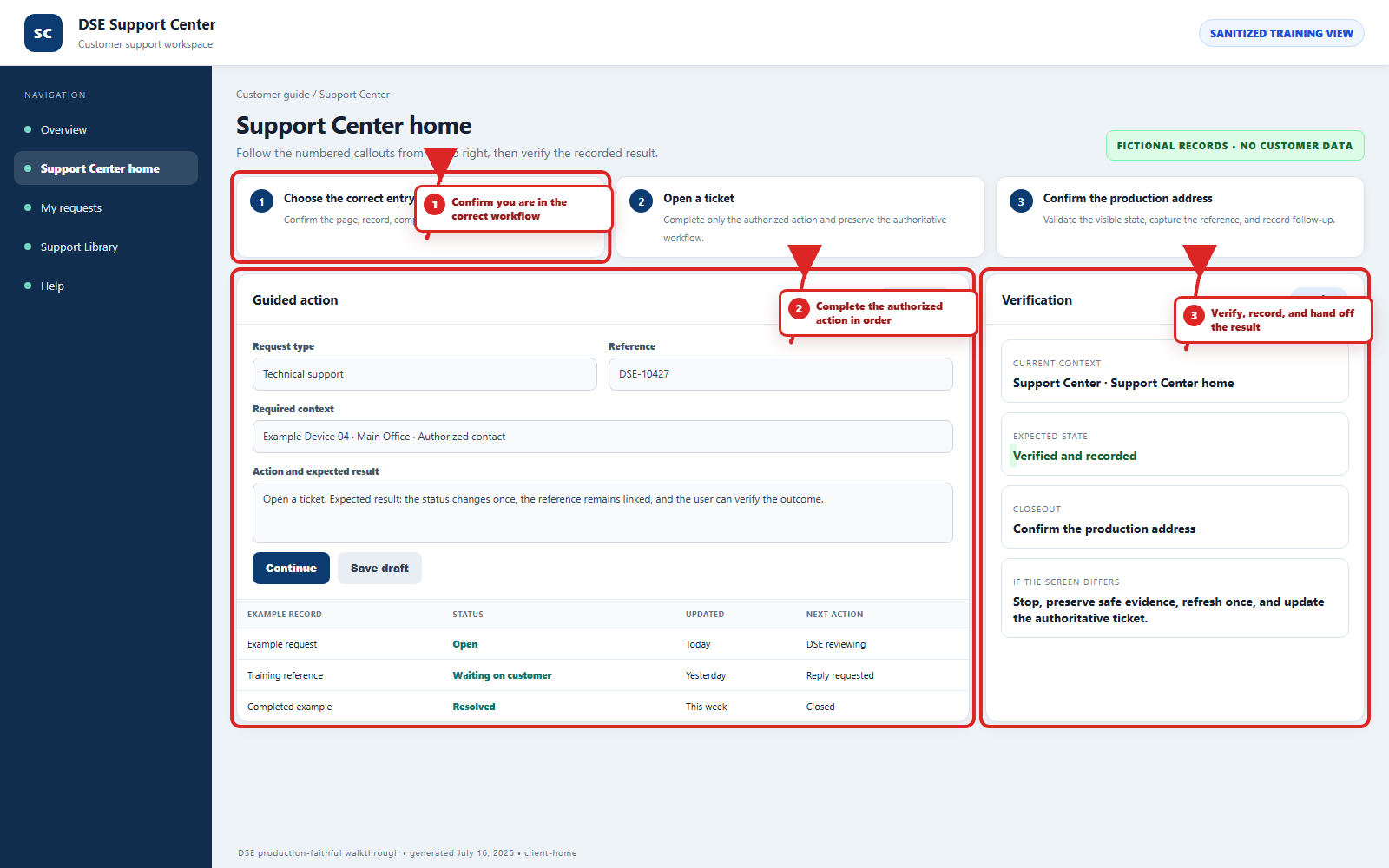
The annotated screenshot uses numbered red boxes and arrows. Read callouts 1, 2, and 3 in order, then return to the written steps below for the complete procedure.
 Open full size
 Open full size
 Open full size
1
Workflow section 1 of 5
Connect to the production helpdesk
-
Open a current browser and go directly to https://helpdesk.dsesecurity.com/.
-
Confirm the browser shows HTTPS and the exact dsesecurity.com domain. Stop if the browser shows a certificate warning or unexpected domain.
-
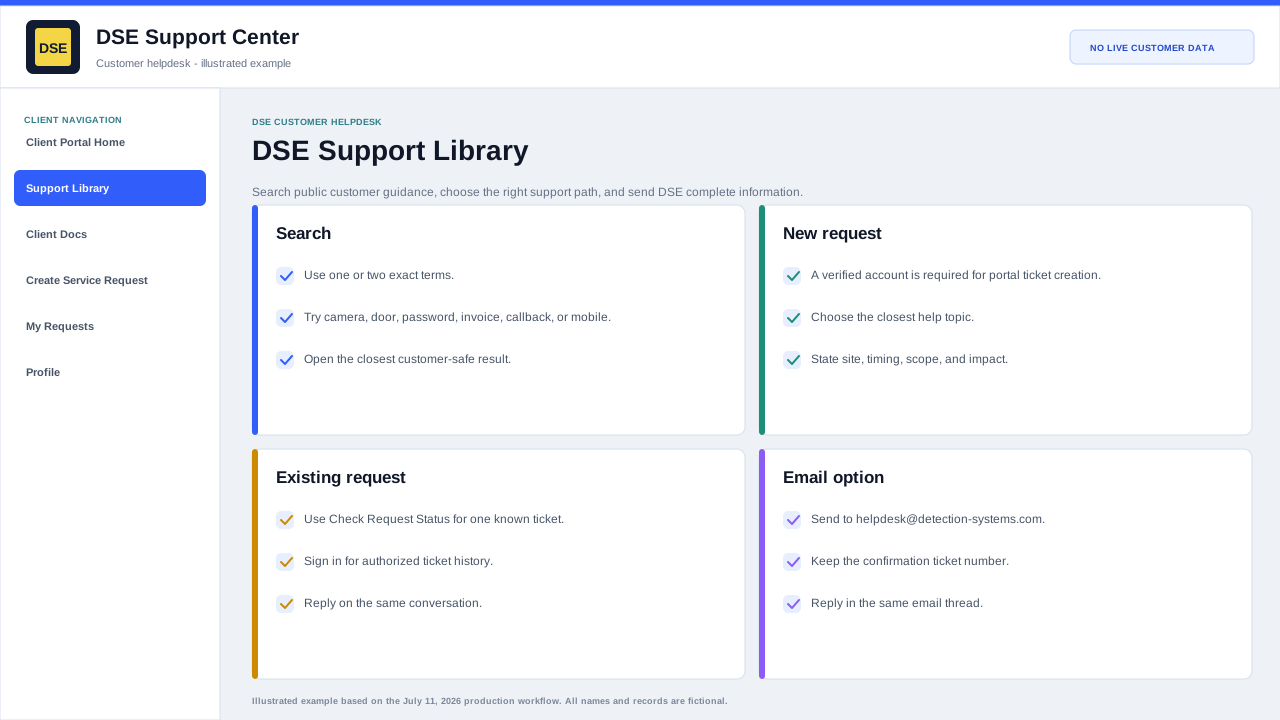
Public Client Docs and the Support Library can be read without signing in.
-
A verified client account is required to create a portal ticket and view account-specific history.
-
Email helpdesk@detection-systems.com when email intake is more convenient or a portal problem prevents ticket creation.
2
Workflow section 2 of 5
Choose the correct entry point
-
Create Service Request: sign in, create one complete request, and keep the confirmation ticket number.
-
Check Request Status: use the original request email address and the DSE ticket number to request a secure access link.
-
Support Library: search public, customer-safe guidance before or after opening a ticket.
-
Client Docs: use these detailed instructions for account, ticket, security, scheduling, business, and mobile workflows.
3
Workflow section 3 of 5
What clients can do from the home page
-
Sign in with a verified client account and open a new DSE support ticket.
-
Check the status of an existing ticket.
-
Open the public Support Library and client documentation.
-
Sign in when you need to create a portal ticket, view ticket history, read private replies, or use account-specific information.
4
Workflow section 4 of 5
Recommended first step
-
If the issue is new, sign in and select Create Service Request or Open a New Ticket.
-
If DSE already gave you a ticket number, select Check Request Status.
-
If you are not sure what to send, open the Support Library first.
5
Workflow section 5 of 5
Confirm you reached the correct next step
-
Confirm the browser still shows HTTPS and the expected DSE helpdesk domain.
-
Confirm you are on the correct public guide, sign-in, ticket, or status page for the action you need.
-
Keep the DSE-###### ticket number whenever a request is created.
-
Return to Client Docs and choose another guide if the page does not match your goal.
Final verification
Before you leave this guide
- Confirm context. Recheck the DSE domain, signed-in account, company or site, ticket number, device, and request type shown on screen.
- Confirm the result. Perform one harmless verification and make sure the visible status matches what you expected.
- Keep the reference. Save the DSE-###### ticket number, confirmation, or other safe reference needed to continue the same conversation.
- Stop on a mismatch. Do not repeat a high-impact action. Preserve a safe screenshot, note the time and exact error, refresh once, and update or open the correct DSE ticket.
Content owner: DSE Service Operations. Production reviewed July 16, 2026. Examples and visuals are customer-safe and use fictional data.